
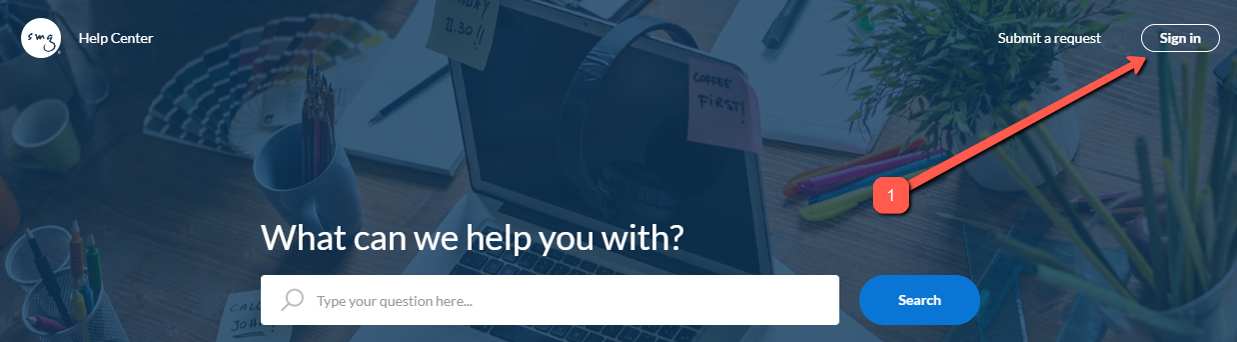
Signing up to the SMG Help Center is quick and easy, to start, simply click on the Sign in button in the upper-right corner of the page.
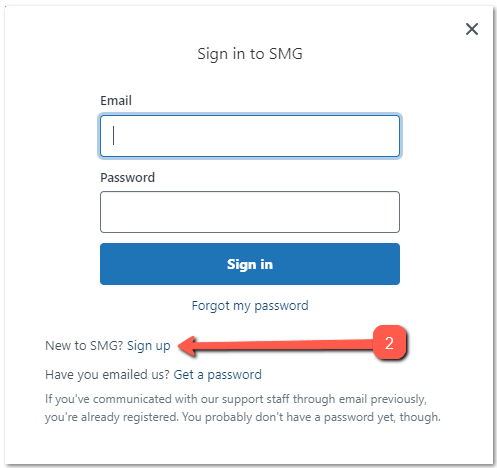
A small pop-up window will appear, click on the Sign up option beside the text New to SMG?.
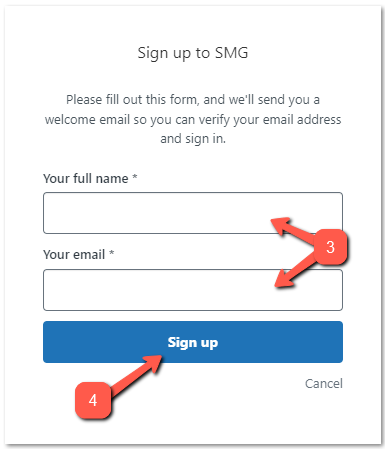
On the next pop-up window, enter your full name and your email address. Once done, click on the Sign up button below the fields.
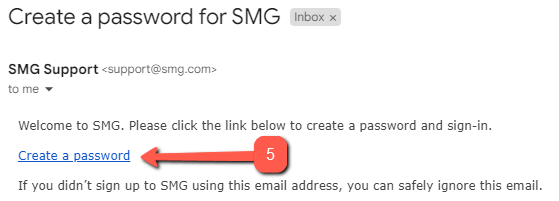
After clicking on Sign up, you should receive an email at the email address you specified. Open the email and click on the create a password link.
Finally, enter your desired password on the page that opens, make sure that your password passes the requirements indicated on the screen.

That's it! After setting a password, you'll be automatically signed in and routed to the Help Center homepage.
If you are having issues signing up, please note that maybe your user has already been created automatically and you would just need to request a password reset .
Comments
Article is closed for comments.